
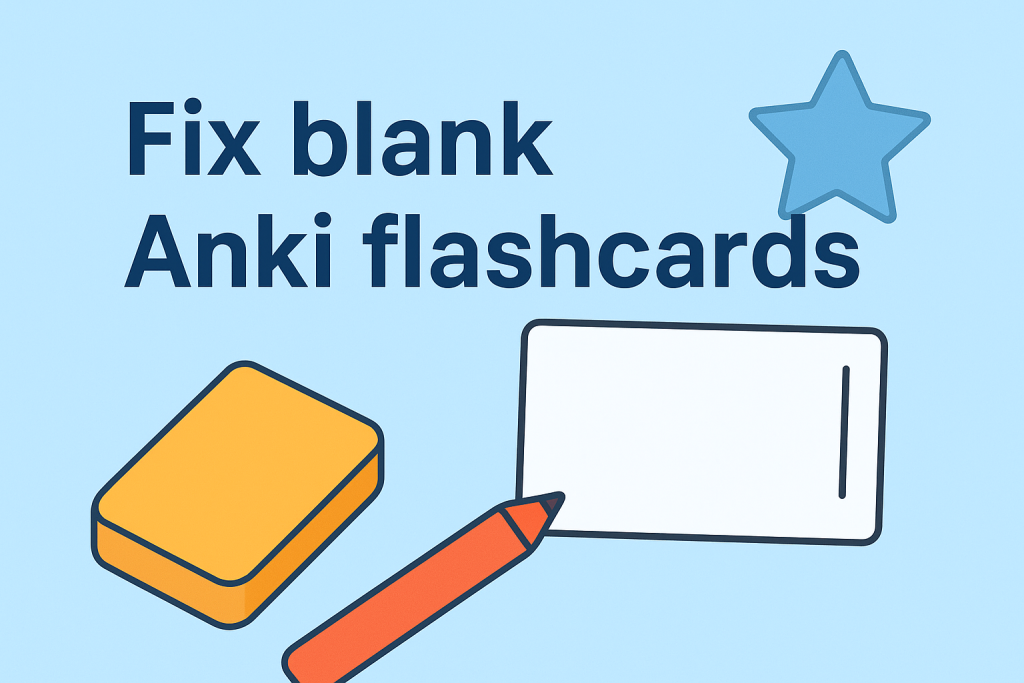
If you’ve ever imported language learning flashcards into Anki only to find blank screens staring back at you, you’re not alone. This frustrating issue affects thousands of language learners worldwide, but the good news is that it’s completely fixable with the right approach.
The mystery of disappearing flashcard content
Picture this: You’ve just downloaded a Spanish pronunciation deck, excited to start improving your accent. You import the flashcards into Anki, open the deck, and… nothing. No images, no audio, just empty white screens with maybe a vertical bar. The “show answer” button doesn’t help either.
This exact scenario happened to Kevin, one of our Spanish learners who reached out after his pronunciation flashcards went completely blank. After some detective work, we discovered the root cause and developed a reliable solution that works for most Anki language learning decks.
Understanding the root cause: Card type mismatches
The culprit behind blank Anki flashcards is usually a card type mismatch. Think of it like trying to play a DVD in a VHS player – the content exists, but the format doesn’t match what Anki expects to display.
In Kevin’s case, his Spanish pronunciation cards were assigned “Picture Word” and “Alphabet” card types instead of the correct “IPA Pronunciation” card type. This mismatch prevented Anki from displaying the audio files, phonetic symbols, and images properly.
Why card type mismatches happen
Card type errors occur more frequently than you might expect, typically due to:
- Manual import errors: Selecting the wrong card type during the import process
- Accidental modifications: Unknowingly changing card types after importing
- Interrupted downloads: Incomplete file transfers or synchronization issues
- Multiple deck imports: Confusion between different flashcard formats
- Outdated Anki versions: Compatibility issues with newer deck formats
The proven 4-step solution
Here’s the exact process we used to fix Kevin’s flashcards – and it works for most Anki language learning decks:
Step 1: Remove the problematic deck
Delete all affected flashcards from your Anki account. Yes, this might feel scary if you’ve already started studying, but it’s necessary for a clean fix. Your learning progress statistics will be preserved when you re-import with the correct settings.
Step 2: Download a fresh copy
Re-download your flashcard deck from the original source. This ensures you have a clean, uncorrupted .apkg file without any previous import errors or modifications.
Step 3: Perform a clean import
Double-click the .apkg file directly and select “Import” when Anki opens. Avoid manual importing through Anki’s menu system, as this can sometimes cause card type assignment issues. Let Anki handle the card type assignment automatically.
Step 4: Verify the fix
Open the Browse function in Anki and check the “Card Type” column. You should see consistent, appropriate card types for your deck. For example:
- Pronunciation decks should show “IPA Pronunciation” cards
- Vocabulary decks should display “Picture Word” cards
- Grammar decks should have “Grammar Drill” cards
Quick diagnostic checklist
Before implementing the full solution, run this quick diagnostic to confirm you’re dealing with a card type issue:
Diagnostic steps:
- Open Anki and navigate to Browse
- Select your problematic deck
- Examine the “Card Type” column
- Check if card types match your deck’s intended purpose
- Look for inconsistent or unexpected card type names
If you see mismatched card types, you’ve identified the problem and can proceed with the 4-step solution above.
Prevention strategies for smooth Anki language learning
Use official software only
Always download Anki from the official source at apps.ankiweb.net. Third-party versions or modified clients can cause compatibility issues with professionally designed language learning decks.
Keep Anki updated
Regular updates ensure compatibility with the latest flashcard formats and fix known bugs that could cause import issues.
Import best practices
- Double-click .apkg files instead of using manual import
- Import one deck at a time to avoid conflicts
- Close other programs during import to prevent interruptions
Backup your progress
Create an AnkiWeb account to automatically sync and backup your study progress. This protects your learning statistics even if you need to delete and re-import decks.
Advanced troubleshooting for persistent issues
Audio problems in pronunciation decks
If your pronunciation flashcards import correctly but audio files won’t play:
- Check your system’s audio settings
- Verify that Anki has permission to access audio
- Try playing the audio files directly from your media folder
- Update your audio codecs if necessary
Image display issues in vocabulary cards
For picture vocabulary flashcards that show broken image icons:
- Ensure the media files were included in the download
- Check the Anki media folder for missing images
- Re-sync your collection if using AnkiWeb
- Verify sufficient storage space on your device
Sync conflicts across devices
When using Anki across multiple devices, sync conflicts can cause card type issues:
- Force a full sync from your primary device
- Avoid importing decks on multiple devices simultaneously
- Always sync before and after making changes
Why specialized support matters for language learners
Here’s something Kevin discovered during his troubleshooting journey: finding effective help for Anki language learning issues can be surprisingly challenging. General Anki forums typically focus on medical school flashcards or academic subjects, while language learning communities might not understand the technical aspects of Anki.
At Speakada, we specialize specifically in Anki for language learning. Our team has spent years perfecting flashcard design for pronunciation, vocabulary, and grammar across multiple languages including Spanish, French, Italian, German, English, Dutch, and Polish. We understand both the technical mechanics of Anki and the pedagogical principles of effective language acquisition.
When language learners like Kevin encounter issues, we can immediately identify problems because we’ve designed the flashcards ourselves and understand exactly how they should function. This specialized knowledge allows us to provide targeted, specific solutions that get you back to studying quickly.
Optimizing your Anki language learning setup
Once you’ve resolved any card type issues, consider these optimization strategies:
Customize your study schedule
Adjust Anki’s scheduling algorithm to match your language learning goals:
- Increase daily review limits for vocabulary building
- Reduce intervals for pronunciation cards requiring frequent practice
- Set longer intervals for grammar concepts you’ve mastered
Organize your deck structure
Create a logical hierarchy for your language learning decks:
- Separate pronunciation, vocabulary, and grammar decks
- Use subdecks for different topics or difficulty levels
- Tag cards for easy filtering and targeted review
Track your progress effectively
Monitor key metrics to ensure steady improvement:
- Daily completion rates
- Retention percentages for different card types
- Time spent on each deck category
Get expert support for your language learning journey
Ready to supercharge your language learning with properly functioning Anki flashcards? Join thousands of successful language learners who receive weekly tips, troubleshooting guides, and exclusive strategies delivered straight to their inbox.
Subscribe to SPEAKADA WEEKLY and get:
- Advanced Anki optimization techniques
- Language-specific pronunciation tips
- Grammar mastery strategies
- Exclusive flashcard previews
- Priority support for technical issues
Subscribe to SPEAKADA WEEKLY here – it’s free and takes just 30 seconds
Conclusion: From frustration to fluency
Kevin’s story demonstrates that even the most frustrating Anki issues have solutions. His Spanish pronunciation flashcards now work perfectly, and he’s back to building confidence in his pronunciation skills. Whether you’re struggling with technical problems, study strategies, or general language learning challenges, remember that every obstacle you overcome makes you a more resilient and confident learner.
The key is having the right knowledge and support system. With the troubleshooting techniques in this guide, you’ll be able to resolve most common Anki flashcard issues and get back to what matters most: achieving fluency in your target language.
Ready to take your language learning further?
Explore our comprehensive Anki flashcard collections and other language learning resources:
🗣️ Pronunciation Flashcards: Master proper pronunciation with alphabet, IPA, and minimal pair exercises across 7 languages.
📚 Vocabulary Flashcards: Build your word power faster with picture cards, top 2000 word lists, and essential phrases.
📝 Grammar Flashcards: Learn grammar efficiently with CEFR-organized flashcards from A0 to C1 level.
🎯 SpeakPrac: Boost your English speaking for IELTS with my FREE Speaking Course & other resources like AI-Powered App & IELTS Flashcards. Get instant feedback on fluency, pronunciation, vocabulary, and grammar to speak more confidently.
Every technical challenge you overcome brings you one step closer to language mastery. Happy studying!
Need personalized help with your Anki setup? Our team of language learning specialists is here for our Speakada customers to help you optimize your flashcard experience for maximum results.
Make Flashcards Online to Learn Spanish Now One of the biggest challenges when learning Spanish is figuring out how to Read more
Most language learners aim for 10 Anki cards per day — but is that right for you? Discover the 3 Read more
Cloze Deletion Anki Guide - My Experience and What I Use Now In this article, I'm going to be talking Read more
Grammatical Gender and How to Learn Gender Nouns With Anki Recently we were asked a question about the use of Read more